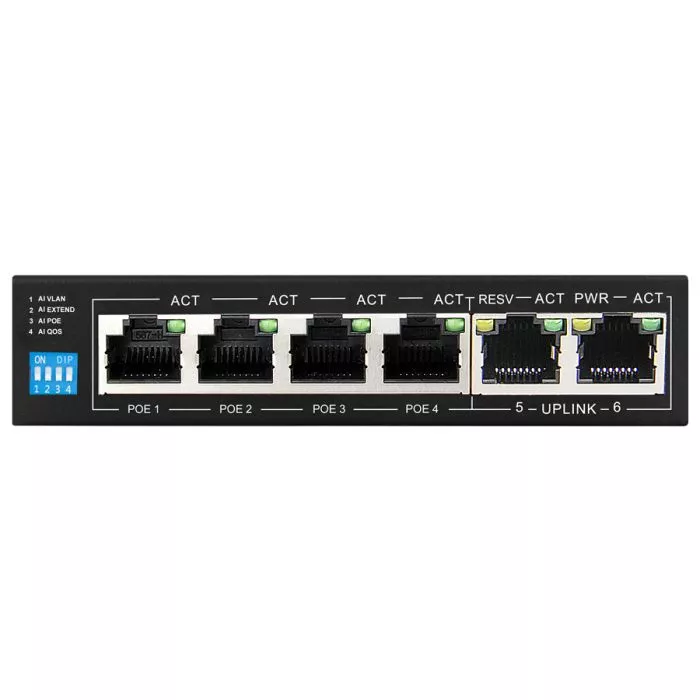


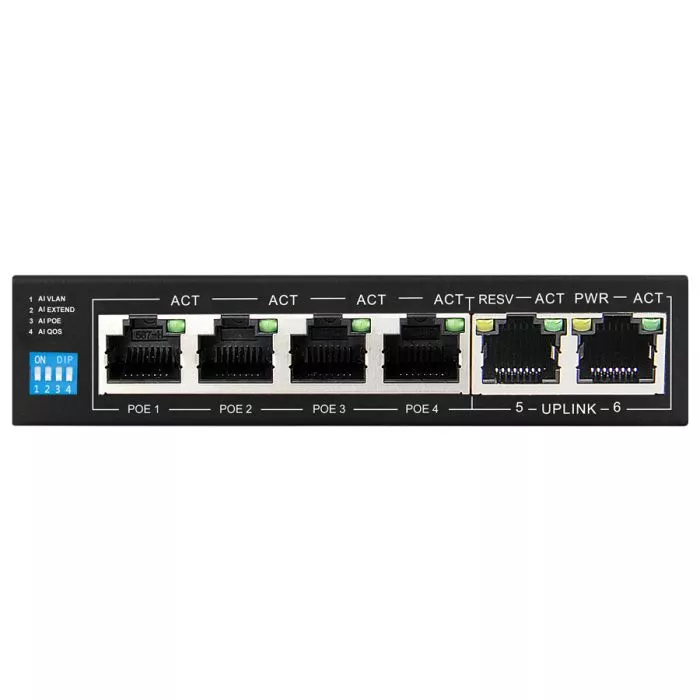


Technical Specifications
| Feature | Details |
|---|---|
| Product Code | SPS‑4F2F |
| Brand | Scoop |
| Ethernet Ports | 6 × 10/100 Mbps |
| PoE Output | 802.3af/at, 36W max per port, 60W total |
| Hardware Buttons | VLAN, Extender, PoE, QoS |
| Max Power Consumption | 3W |
| Power Input | 52V 1.15A (adapter included) |
| Mounting | Desktop |
| Operating Temp | 0°C to 40°C |
| Dimensions | 125 × 75 × 27mm |
| Warranty | 2 years |
Price Disclaimer: Prices are subject to change at any time without prior notice.
Scoop SPS‑4F2F 4‑Port PoE Fast Ethernet Switch
Brand: Scoop
Product Code / SKU: SPS‑4F2F
Supplier Code: Not specified
Description
Scoop SPS‑4F2F – unmanaged 4‑port Fast Ethernet PoE switch with 2 × Fast Ethernet uplink ports. Provides IEEE 802.3af/at PoE+ on ports 1–4 with a 60W budget (36W max per port). Features VLAN (port isolation), Extend (250m PoE/data), QoS (bandwidth prioritization), and PoE auto‑restart. Compact desktop design, retail box packaging, 2‑year warranty.
Product Overview
Scoop SPS‑4F2F – 4‑port Fast Ethernet PoE switch with 60W budget, VLAN, Extend, QoS, and 2 uplinks for small business or home networking.
Highlights
4 × Fast Ethernet PoE+ ports (802.3af/at compliant)
2 × Fast Ethernet uplink ports
PoE budget: 60W (36W max per port)
VLAN: port isolation for stability/security
Extend: up to 250m PoE/data transmission (ports 1–4)
QoS: bandwidth prioritization for critical traffic
PoE auto‑restart for unresponsive devices
Max power consumption: 3W (switch only)
52V 1.15A power supply included
Desktop mounting design
Operating temperature: 0°C to 40°C
Dimensions: 125 × 75 × 27mm
Retail box packaging
2‑year warranty
What’s Included
1 × Scoop SPS‑4F2F PoE Switch
52V 1.15A power supply
User manual
Retail box packaging
Shipping Disclaimer
Standard courier rates apply for major cities and towns across South Africa. Additional charges may apply for remote or outlying delivery areas. Orders above R1500 qualify for free courier delivery in urban areas. QuickStore covers up to 25% of courier surcharges; any excess will be billed to the customer before dispatch.